


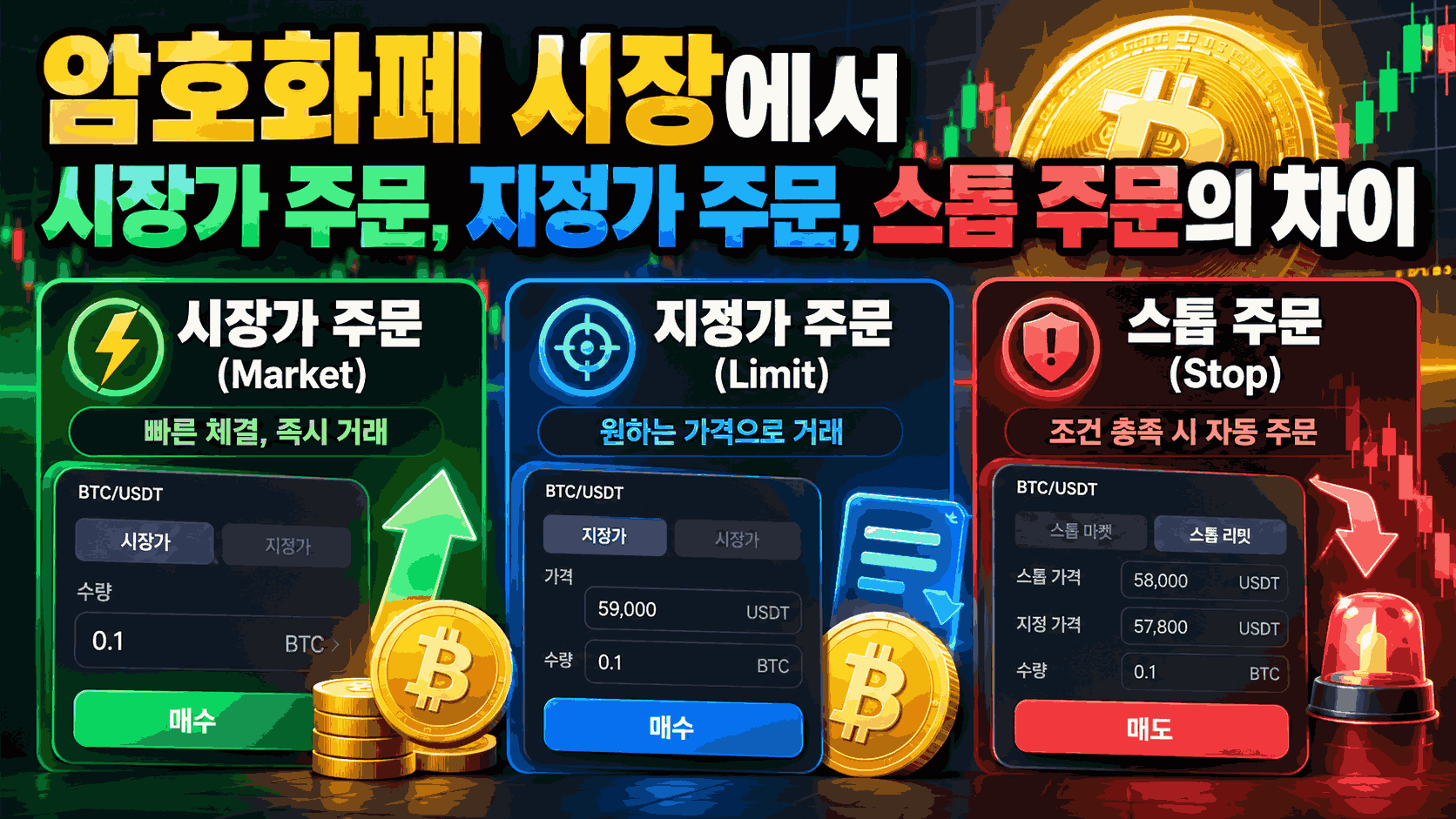
Limit orders and market orders differ in price control and transaction execution methods. Limit orders are executed only at the specified price or at a better price, while market orders prioritize quick execution based on current liquidity. On the other hand, a stop order automatically submits an order when the price reaches the set condition.
In the cryptocurrency market, if you misunderstand the ordering mechanism, you may buy coins at a higher price than expected, miss the entry point, or be unable to liquidate your position even if you set a stop loss order. In this article, we explain each order type, compare how to use it, and look at the BTC/USDT trading situation as an example.
This article covers spot and futures trading on exchanges using order books. All prices shown in examples are assumed and do not include fees. Also, this article is not a recommendation for trading.
What are market orders, limit orders, and stop orders?
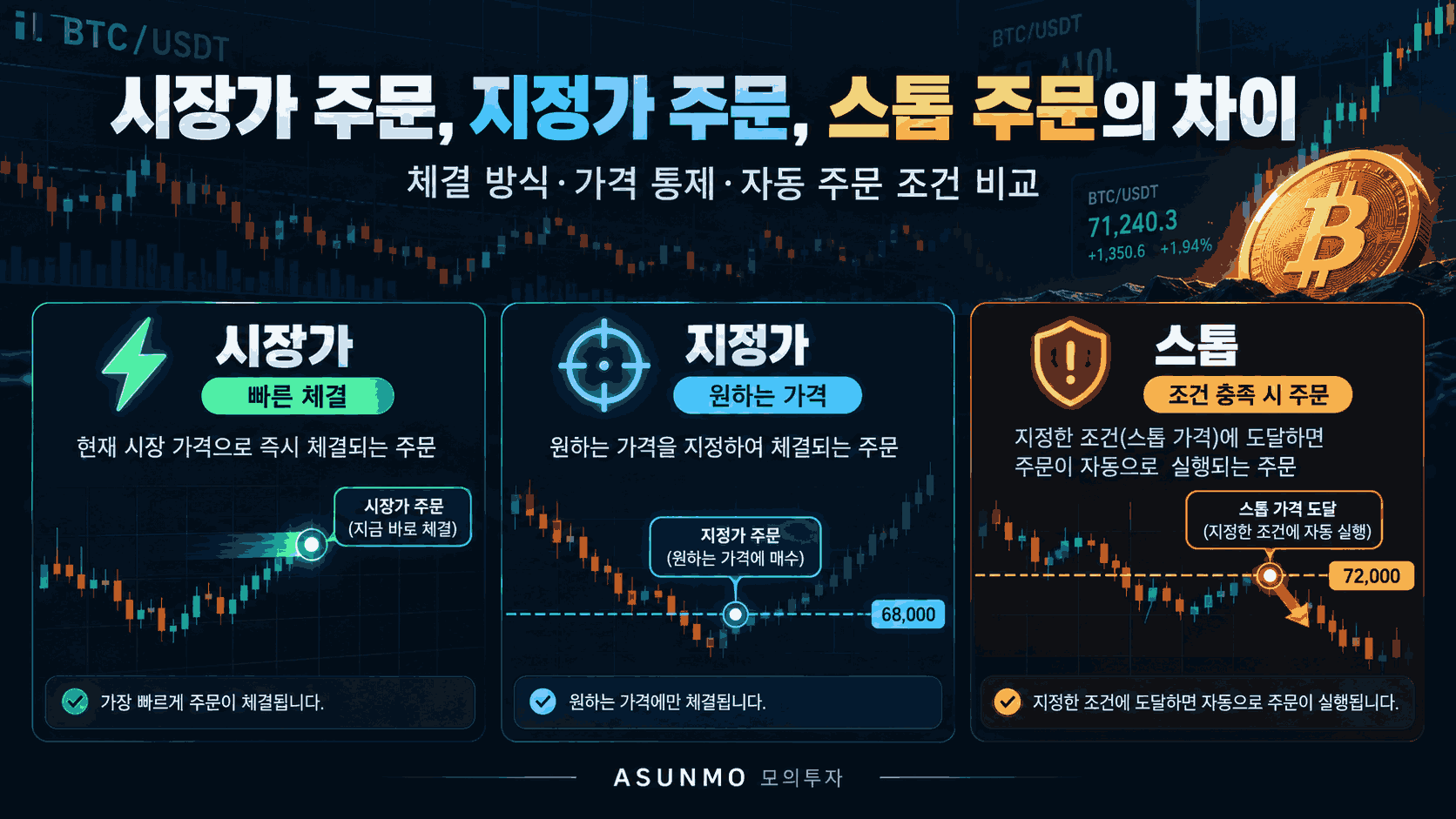
Limit orders and market orders determine how trades are executed. Market orders prioritize quick execution, and limit orders help control the buy or sell price. On the other hand, a stop order adds an activation condition, allowing you to set in advance when the order will be submitted based on price changes.
What is a market order?
A market order is an order requesting to immediately buy or sell a coin at the best price currently available in the order book. You enter the amount of coins you want to trade or the amount you want to spend, and the system finds the opposite order and executes the transaction.
Example: You want to immediately sell 0.1 BTC when the price is around 60,000 USDT. Market orders are executed against buy orders currently in the order book. If there is not enough purchase volume of 60,000 USDT, the remaining volume may be sold at a lower price, so the average selling price may differ from the price confirmed before ordering.
Market orders are suitable when speed is a priority, but they cannot be guaranteed to be executed at the exact price displayed on the screen.
What is a limit order?
A limit order is an order that sets the maximum buy price or minimum sell price that a trader can accept.
Buy Limit: Buy only at the specified price or lower.
Sell Limit: Sell only at the specified price or higher.
Example: The price of ETH is 3,000 USDT, but you only want to buy at a maximum of 2,950 USDT. If you set a limit buy order at 2,950 USDT, it will be executed only at that price or lower when there is adequate selling volume.
Limit orders allow you to control the price, but do not guarantee execution of a trade. Orders may be fully or partially filled, or may remain unfilled and waiting. Limit orders can also be executed immediately if the set price meets the order conditions on the other side of the order book.
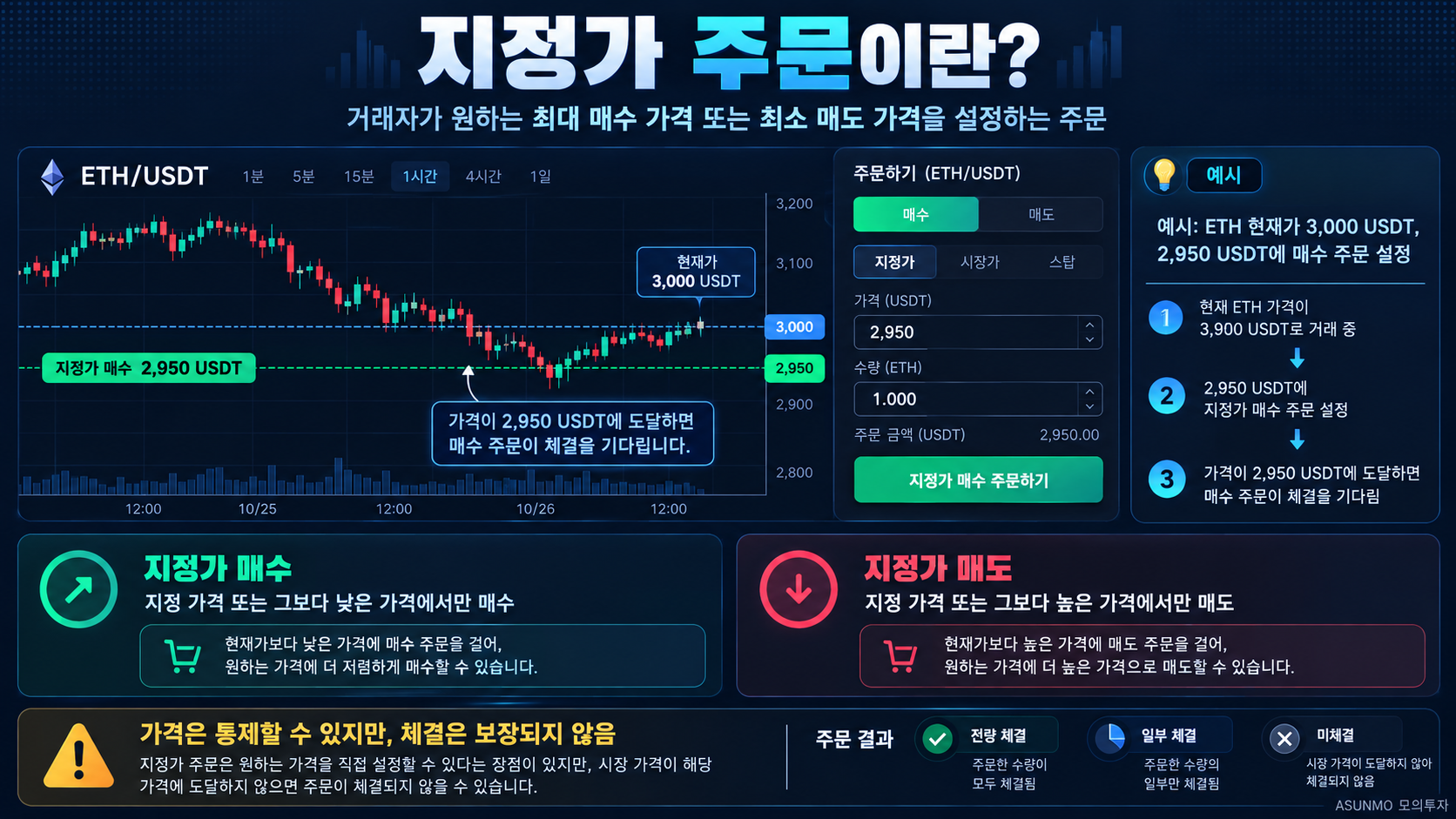
Limit orders allow you to buy or sell at the desired price, but execution is not guaranteed.
What is a stop order?
A stop order is a conditional order that is activated when the price reaches the stop price, which is a preset reference value. It can be used to set a stop loss or to enter when the price breaks a certain threshold.
Representative types are Stop Market and Stop Limit. Both spells wait until the activation conditions are met, but their execution methods after activation are different.
Stop Market: priority for quick execution after activation
In general, a stop market places a market order when the stop conditions are met. The execution price varies depending on liquidity at the time of order execution.
Assumption example: You own 0.1 BTC purchased at 60,000 USDT, and set a stop market order to sell when the price falls to 58,000 USDT. When the conditions are met, a sell order is submitted. If the price falls quickly, transactions may be concluded at a price lower than 58,000 USDT.
The stop market in the Binance spot trading interface adds a slippage tolerance that limits the allowable price range. Internally, orders are processed using a limit price method, and unsettled quantities may remain in the order book. Therefore, it should not be assumed that the stop market will always be fully traded immediately after activation.
Stop limit: price control after activation
A stop limit combines two prices. The stop price determines when to submit an order, and the stop price sets the price limit at which trading is permitted.
Assumption example: When the BTC price is 60,000 USDT, set the stop price to 58,000 USDT and the limit price to 57,800 USDT and place a 0.1 BTC stop limit sell order.
When the stop condition is met, the system submits a limit sell order of 57,800 USDT. The order will only be sold at this price or higher. If the market falls quickly and only a buy order of 57,500 USDT remains, this price is lower than the limit price allowed, so the order will not be filled.
Therefore, while stop limits help control the sell price, they do not guarantee that coins will be sold after activation.
The table below summarizes the differences between the two order types.
standard | stop market | stop limit |
Activation conditions | Price reaches stop criterion | Price reaches stop criterion |
How it runs | Generally, market orders are submitted, and Binance spot applies slippage allowance method. | Submit a limit order at a set price |
price set value | Stop price, added tolerance range when supported by platform | Stop price and limit price |
priority | Fast execution after activation within exchange conditions | Maintain buy or sell price limits |
main risks | The execution price may differ from the stop price and the entire amount may not be executed when the price protection limit is applied. | Execution may not occur if the market passes the specified price. |
It is important to remember that order activation and order execution are two different steps. The stop price only determines when to start order execution and does not guarantee the final transaction price.
Comprehensive comparison of market orders, limit orders, and stop orders
Once you understand how each order works, you can compare them based on three factors: the purpose of the trade, how it is executed, and the risk you are willing to take.
standard | market price | limits | stop |
main purpose | Buy or sell quickly | Buy or sell price control | Automatic order submission when price conditions are met |
price setting | No specified price entered | Set a fixed price | Enter the set value of the stop price and linked order |
How it runs | Current liquidity and execution | Execution at a specified price or a more favorable price | After activation, run as stop market or stop limit method |
When to run | Typically upon order submission | Can be concluded immediately or can continue to wait | Wait until stop condition is met |
Risks to be aware of | Execution price may differ from expected | Not concluded or partially concluded | Even after activation, the execution price or quantity may be different from expected. |
Common mistakes beginners make when ordering
Mistaking a limit sell order as a stop loss order: If you place a limit sell order at 58,000 USDT when the BTC price is 60,000 USDT, you have accepted the condition of selling at that price or higher and can be executed immediately. To submit a sell order after the price has fallen to the reference value, you must use an appropriate stop order.
Maker fees are always assumed to apply to limit orders: Taker fees may apply to limit orders that fill immediately with existing liquidity. So, don’t assume that limit orders always have lower fees; How transaction fees are calculatedand order execution method.
Misunderstanding ‘Activated’ as ‘Position Liquidation Completed’: The ‘Activated’ status in stop limits only means that a limit order has been submitted and does not guarantee transaction completion. You must check the transaction quantity and remaining positions.
Set a stop price without checking the price standard liquidation priceSetting too close to: In futures trading, the price used to activate a stop order may be different from the price used to determine whether to liquidate. If you set the stop price too close to the liquidation price, your position may be liquidated before the stop loss order is executed.
Not processing pending orders after liquidating positions: Futures pending orders remaining after liquidating existing positions may unintentionally open new positions. Confirm and cancel orders that are no longer needed and, if supported, utilize the Reduce Only option so that orders are only used to reduce positions.
How to Practice Order Types with Mock Trading
1. How to practice market orders
Market orders allow you to quickly buy or sell an asset at the best price currently available.
The following is an example of setting a market order.
based on amount | By quantity | |
Step 1 | Enter amount (10,000 USD) | Enter total quantity (e.g. 1 BTC) |
Step 2 | Click [Buy] | |
result | Buy 10,000 USDC worth of BTC instantly | Buy 1 BTC instantly |
execution price | Best market price currently available | |
2. How to practice limit orders
Set an order at a specific price.
Limit orders are executed only when the market price reaches or is better than the set limit price.
This is useful when buying at a price lower than the current market price or selling at a higher price.
The following is an example of setting a limit order.
buy order | limit order | |
Step 1 | Enter the purchase price (e.g. 60,000 USD) | Enter the ask price (e.g. 60,000 USD) |
Step 2 | Enter quantity (e.g. 1 BTC) | |
Step 3 | Click [Buy] | Click [Sell] |
market fluctuations | Market price reaches 60,000 USD | |
result | Buy 1 BTC for less than 60,000 USD | Sell 1 BTC for over 60,000 USD |
3. How to practice stop limit and stop market orders
Stop limit and stop market are conditional orders that are activated by the stop price.
When the stop price is reached, the following happens:
Stop limit submits a limit order at the set price.
A stop market submits a stop limit order with a slippage tolerance applied.
Note: Depending on market conditions, only part of the order may be filled, and the unfilled quantity will remain as a maker limit order.
These orders help you control when to buy or sell as the market moves.
The following is an example of setting a stop limit and stop market order.
Stop limit buy | Stop market buy | |
Step 1 | Enter a stop price (e.g. 60,000 USD) | Enter a stop price (e.g. 60,000 USD) |
Step 2 | Enter a limit price (e.g. 60,500 USD) | Enter slippage tolerance (0.1~5%, e.g. 5%) |
Step 3 | Enter quantity (e.g. 1 BTC) | |
Step 4 | Click [Buy] | |
market fluctuations | Market price reaches 60,000 USD | |
Progress stage 1 | Order is activated and limit order is submitted | The order is activated and a stop market order with slippage tolerance applied is submitted and may be filled in full or in part. |
result | Buy 1 BTC for less than 60,500 USD | Buy the amount of BTC that can be traded below 63,000 USD, and the untraded quantity remains as a maker limit order. |
Frequently Asked Questions
1. Are market orders executed exactly at the displayed price?
This is not necessarily the case. The execution price may differ from the displayed price due to market fluctuations or a lack of buying or selling volume in the relevant price range.
2. Why is the order not filled even though the price reaches the limit price?
Your order may not have been filled due to insufficient trading volume in that price range. You must check the order priority, the order quantity on the other side, and the execution quantity in the order history. Even if the price reaches the standard value, execution of the entire quantity is not guaranteed.
3. Can cryptocurrency profits be realized with limit orders?
You can set a limit sell order to sell your coins at a target price. In futures trading, you should check whether the order is set up for the purpose of liquidating the position and, if available, check options such as Reduce Only.
Understanding the difference between limit price and market order allows you to choose the order method that suits your trading purpose. Market prices focus on execution speed, limit prices focus on price control, and stop orders focus on conditional execution. Before actual trading, it is a good idea to practice the characteristics and execution process of each order method on a coin mock trading platform such as ASUNMO.
0 Comments
No comments yet. Be the first to share your thoughts.