


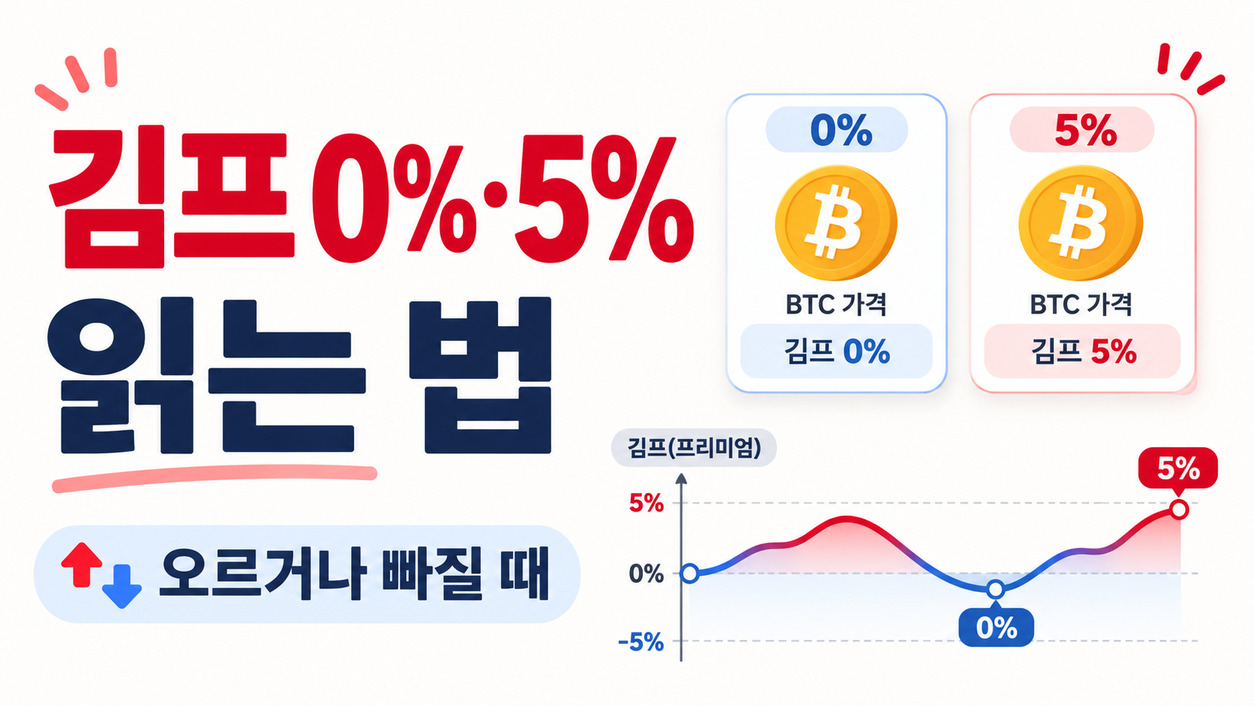
GIMP 5% means that the domestic price is 5% higher than the Korean won conversion value of the overseas price based on the selected exchange and conversion standard. If GIMP goes down from 5% to 2%, the gap decreases by 3 percentage points. You can find out whether domestic coin prices have risen or fallen by comparing domestic prices, overseas prices, and exchange rates.
What does GIMP mean when it is 0%, positive, or negative?
display value | price relationship | reading |
−2% | Domestic price is lower than overseas won conversion value | The domestic price is 2% lower than the overseas converted price. |
0% | Two prices are the same or appear to be the same in display precision | There is almost no price difference based on comparison standards. |
+5% | Domestic price is higher than overseas won conversion value | The domestic price is 5% higher than the overseas converted price. |
When a chart shows 0.00%, the value before rounding may be slightly positive or negative. If small differences are important in comparison, check the original price and number of digits displayed.
Even if GIMP goes down from 5% to 2%, domestic prices can rise.
The table below compares two situations in which domestic prices and overseas won conversion values vary from the same starting point. The price unit is 10,000 won and all figures are assumed.
point of view and situation | domestic price | Overseas won converted value | GIMP |
starting point | 105 | 100 | +5% |
A · When domestic prices fall | 102 | 100 | +2% |
B · When domestic prices rise | 107.1 | 105 | +2% |
In A, the domestic price is lowered from 1.05 million won to 1.02 million won while the overseas conversion price remains the same. In B, the domestic price rises to 1,071,000 won, but the overseas conversion price rises faster from 1 million won to 1,050,000 won, reducing GIMP. In both cases, GIMP decreases by 3 percentage points, but the direction of domestic prices is different. To calculate directly with Korean Won conversion value: Calculate GIMP directly with Korean Won conversion valuesYou can refer to .
Three prices to check when GIMP moves
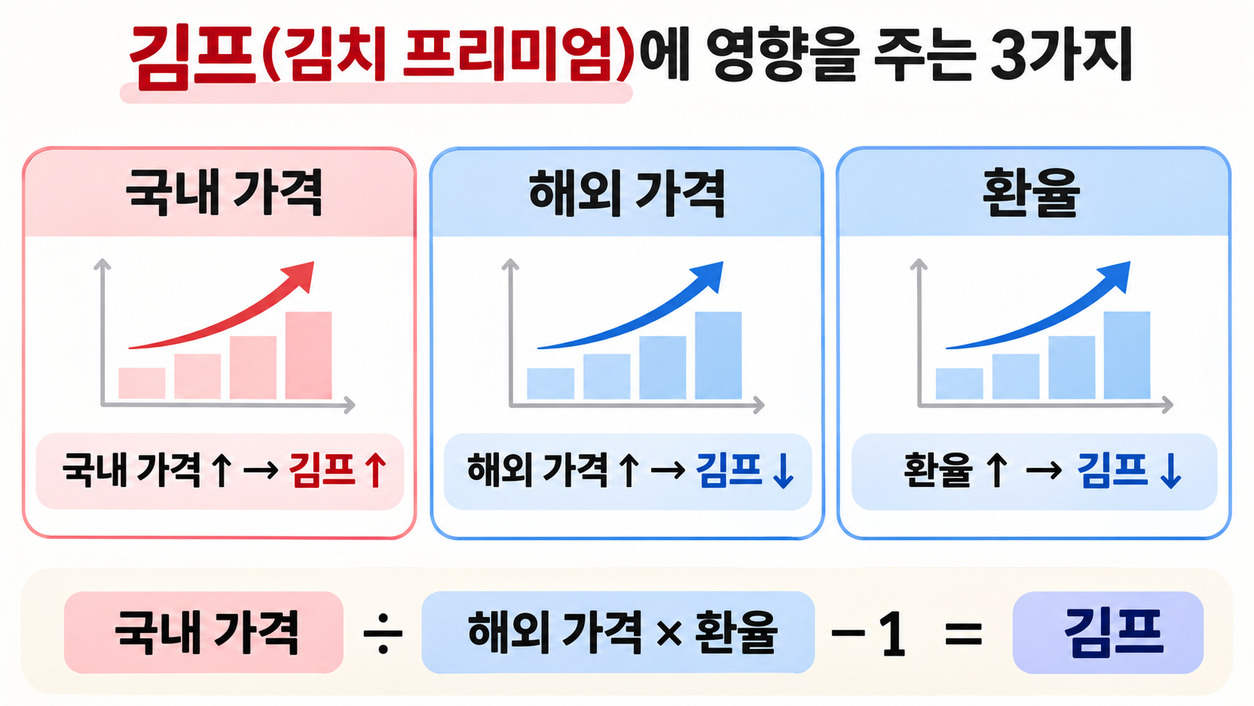
Check whether domestic prices moved first. If overseas prices and exchange rates are constant, a rise in domestic prices raises the GIMP and a decline in domestic prices lowers the GIMP.
Check whether overseas prices moved first. If the domestic price and exchange rate are constant, the higher the overseas price, the higher the comparative price converted to Korean Won and the lower the GIMP.
Check whether the conversion standard has changed. Even if the domestic won price and the overseas dollar price are constant, if the won-dollar exchange rate rises, the won conversion value of the overseas price increases and the GIMP decreases. If it is a USDT-based chart, check the USDT won price used in the calculation.
If three values move at the same time, the before and after values of each value are placed side by side and compared. If you only look at GIMP and conclude that domestic buying or selling has become stronger, you may miss the impact of overseas prices and exchange rates.
How to compare two points in time on a chart
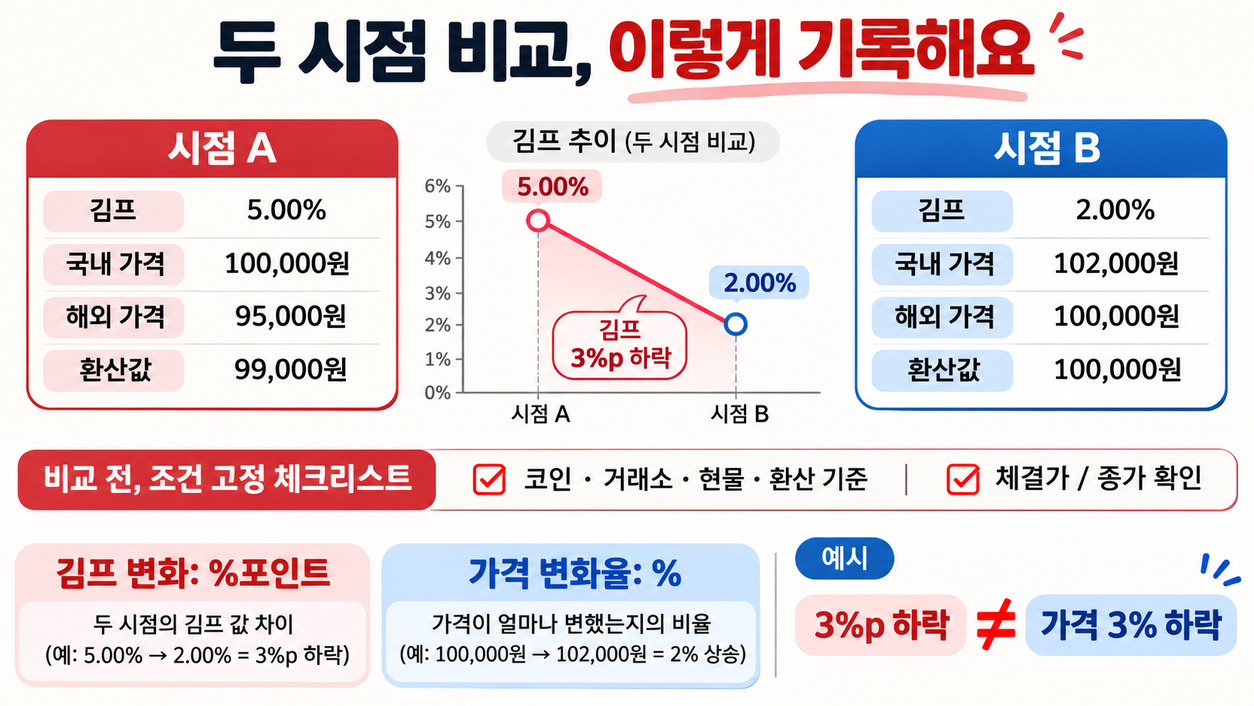
First, the coin, domestic and foreign exchange combination, spot status, and conversion standard are fixed. Next, record GIMP at the two points in time you want to compare, as well as the domestic price, overseas price, and converted value at each point in time. Also check whether the price is the most recent transaction price or the closing price.
Lastly, the change in GIMP is recorded in percentage points and the rate of change in the coin price is recorded in %. The fact that GIMP fell by 3 percentage points and the domestic coin price fell by 3% explains the change in price gap and the rate of change in domestic prices, respectively. By distinguishing between the two numbers, you can describe the movement of the chart in detail.
Difference Between GIMP and Real Trading P&LYou can also look at it.
Check out Ah Seon-mo’s other videos:
0 Comments
No comments yet. Be the first to share your thoughts.